From the first quote to what the job really cost.
VIR runs a production business in one place: quotes, work orders, a tablet kiosk for the shop floor, stock, machines, quality control and people. It runs on your own computer, in your own building — your production data stays with you.
Every job follows the same path — and VIR keeps it together
No retyping between spreadsheets, notebooks and the whiteboard. The quote becomes the work order, the work order becomes the plan, and the timers and material the floor records become the real cost.
- Quoteseveral quantities, priced
- Work ordersteps, machines, materials
- Plannedby machine and day
- Shop floorstarted on the tablet
- Stock & hoursrecorded as it happens
- Final QCapproved or held
- Deliveredpallets and delivery note
- Real costagainst the quote
Built for gloves, not keyboards
Workers sign in on a tablet with a PIN, open the job and press Start. VIR does the rest — who worked on what, for how long, on which machine.
- ✓Steps unlock in order — the press can't start before cutting is finished.
- ✓Each worker sees only their work, by skill and by machine.
- ✓Material taken from the shelf is recorded and deducted from stock.
- ✓The timer turns red when a step runs past its estimate.
- ✓Before logging out, VIR asks about any untimed part of the shift.
The whole workshop on one TV
Hang a TV on the wall and everyone sees which machines are running, who is on them, what is late and what is broken — refreshed every 15 seconds, without anyone signed in on the TV.
- ✓Running, idle, down — at a glance, from across the hall.
- ✓Late, held and broken in one strip across the top.
- ✓No pay, no costs, no leave — only what the floor needs.
Know what a job really cost — not what you hoped
Material at the price it cost when it was used, labour from the hours actually logged, scrap from quality control. Set against the quote the customer accepted.
- ✓Cost per good piece, after rejects — the number that matters.
- ✓Estimate vs actual per step, so the next quote is closer.
- ✓Nothing unpriced is counted as free — VIR says what's missing.
Screens from VIR itself
Not mock-ups: these are VIR's own pages, running a demo print shop. Pick a screen — click it to see it full size.
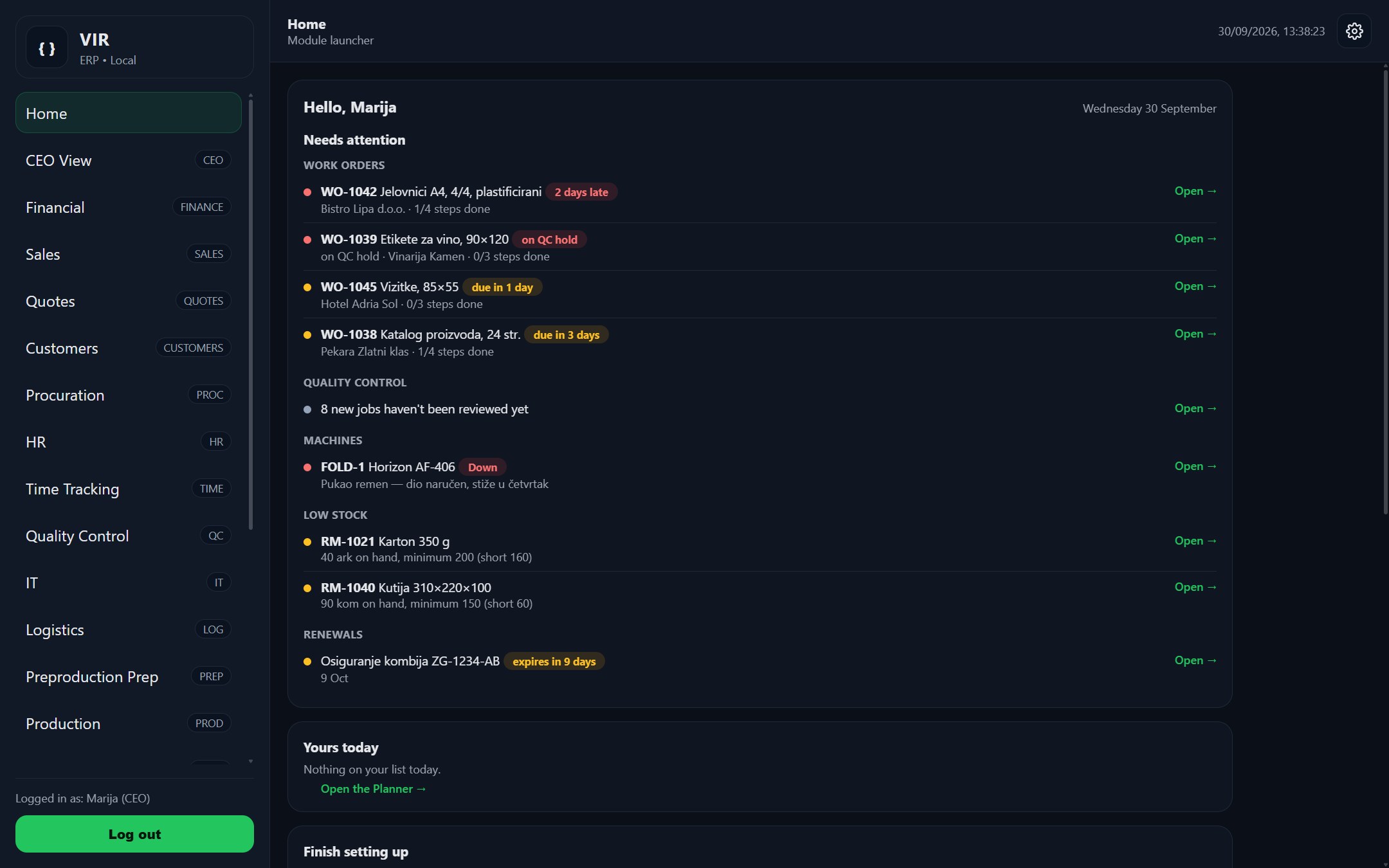
One system instead of ten spreadsheets
Each module is connected to the others. Don't need one? Switch it off — it disappears from every menu, and nothing is deleted.
Work orders & production
Jobs with steps, machines, skills and estimates. Steps unlock in order; the job closes itself when the last one is done.
Kiosk & time tracking
Clock-in, timers per step, side jobs like cleaning and maintenance, and payroll from the hours actually worked.
Quotes & customers
Price several quantities at once from material, machine rates and set-up. Accept it and the sales order and work order are made for you.
Warehouse & stocktake
Stock by shelf, QR codes, low-stock emails, and counting the shelves from a phone. Material used on a job comes off stock automatically.
Job planner
Every step on a machine and a day. VIR warns about an overloaded machine, a job planned after its due date, or a machine nobody is on.
Machines & maintenance
Machines and tools, reported down from the floor. A broken machine can't have new work started on it.
Quality control
Every job reviewed before and after. Hold stops the floor; rejected pieces flow straight into the job's cost.
Procurement
Purchase orders with lines. Receive one and the stock is on the shelf. Raise an order straight from a low-stock item.
Logistics & delivery notes
Pallets, shipments and numbered delivery notes (otpremnice) printed from what's actually on the pallet.
Sales & finance
The sales pipeline and invoices, linked to the job — so margin is worked out, not guessed.
People & HR
Accounts, skills, leave requests, payroll and attendance — with data-protection tools built in.
Printed paperwork
The work order that travels with the job, box and pallet labels, quotes and delivery notes — with your letterhead, in English or Croatian.
Production report
Where the hours went: by machine, person, job and day, and which steps always take longer than quoted.
A home page that thinks
Late jobs, holds, broken machines, low stock and your own day — each person sees only what they can act on.
Morning emails & alerts
Late jobs, low stock and renewals at 7 AM — only when something is new. And an email the moment the server has a problem.
Grow into it when you're ready
Same login, same server. Add one when you need it — and take it away again without touching the rest.
Planner
Everything a company tracks outside production.
- Shared calendar with leave shown on it
- To-dos, ticked off from the kiosk
- Fleet: costs, cost per km, van bookings
- Company kit and who holds it
- Renewals: insurance, licences, inspections
- Machine servicing by hours actually run
Shift planner
The weekly rota — who works which shift, on which machine.
- Named shifts, copy last week in one click
- Warnings: leave, rest time, weekly hours, skills
- Publish it — workers see their shifts on the kiosk
- Planned vs actual against clock-ins
- Print it for the notice board
Shop-floor screen
A live board for a TV on the workshop wall.
- Machines running, idle and down — and who is on them
- Late, held and broken in one strip
- A secure screen link — no one signed in on the TV
- Updates itself when VIR is updated
One price per site. Everyone included.
No fees per user, per tablet or per TV. Put it on every machine in the building.
Workshop
- ✓Work orders & production
- ✓Kiosk, time tracking & payroll
- ✓Warehouse, QR codes & stocktake
- ✓Machines & maintenance
- ✓Quality control
- ✓People & HR, production report
- ✓Backups, alerts, VIR Control
- –Quotes, sales, finance, logistics
Business
- Everything in Workshop, plus
- ✓Quotes & customer register
- ✓Job costing against the quote
- ✓Job planner by machine and day
- ✓Sales pipeline & invoices
- ✓Procurement & purchase orders
- ✓Pallets, shipments & delivery notes
Factory
- Everything in Business, plus
- ✓Planner: calendar, fleet, assets, renewals
- ✓Shift planner
- ✓Shop-floor screens
- ✓Priority support
Prices are for businesses and exclude VAT. Add-ons can be added to Workshop or Business at the prices above. Cancel any time — your data stays on your computer.
Runs on your own computer — and looks after itself
Local, not cloud
One PC in your building. Office PCs and tablets open it in a browser. Nothing to install on them.
Verified nightly backups
Every night to a separate drive, checked row by row. Restore any day in a few clicks.
Restarts itself
If anything goes wrong, VIR is back within seconds — and you get an email about it.
English & Croatian
Every screen, per device. The kiosk on the wall in Croatian, the office in whichever you prefer.
Frequently asked
Do we need internet for VIR to work?
Not to run. VIR runs on your local network and the shop floor keeps working without internet. It is used to send alert emails and for a nightly licence check — a licence lasts several weeks, so a few days offline change nothing.
What hardware do we need?
One ordinary Windows PC that stays on, a USB drive or second disk for backups, and any tablets you already have for the shop floor. A TV is optional, for the floor screen.
How long does it take to get started?
Installation takes an afternoon. Most shops enter their machines, people and first jobs on the first day and run the floor on VIR within a week.
Is VIR only for print shops?
It was built in a print shop, but work orders with steps, machines and skills fit any job shop — machining, fabrication, packaging, assembly.
What happens to our data if we stop?
It's yours and it's already on your computer. Every list exports to CSV, and none of your production data is ever stored with us.
How are updates installed?
Each update backs up first, tests the new version before switching over, and puts everything back automatically if a step fails.
Take VIR to the meeting
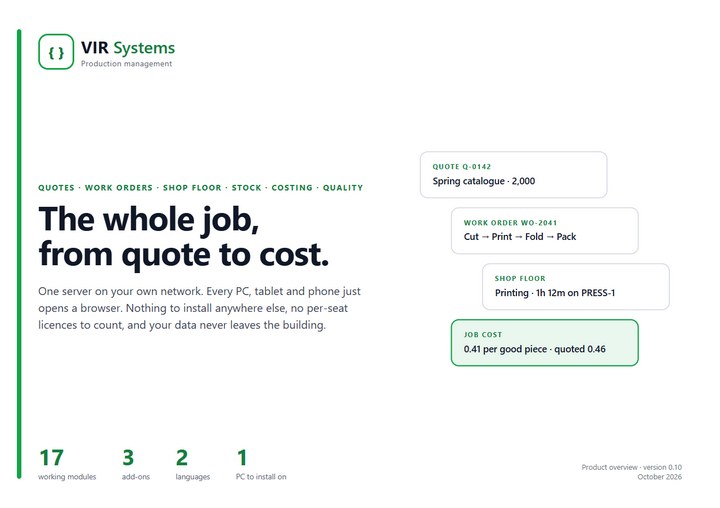
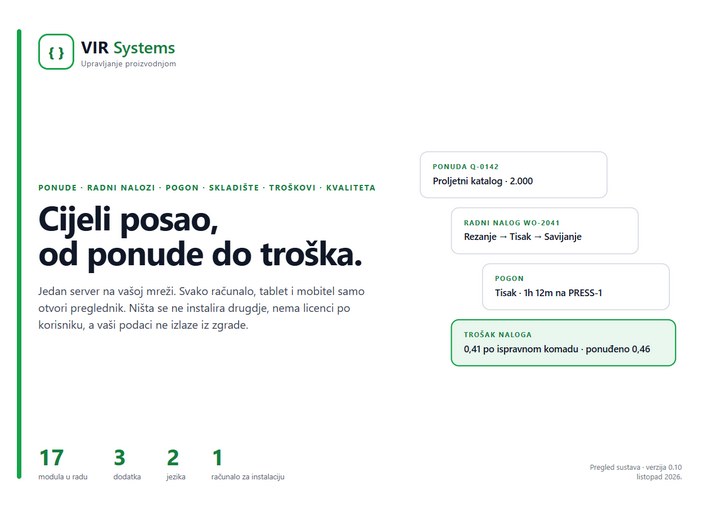
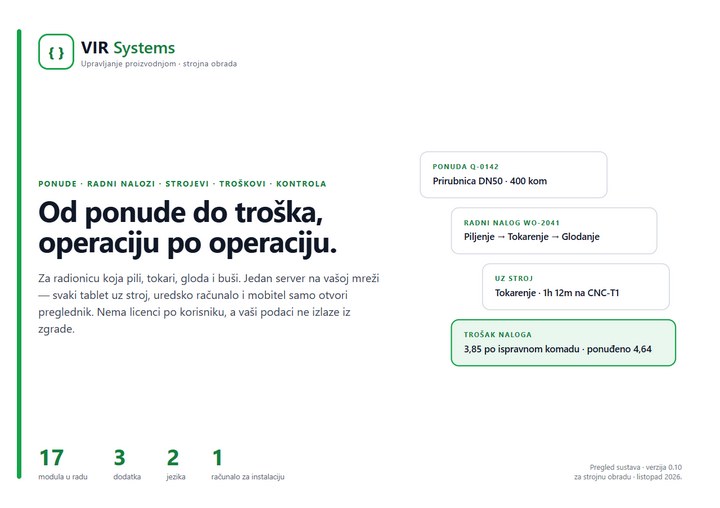
The full overview on 22 printable pages (A4 landscape) — how a job flows, every module, who sees what, and the technical details for whoever looks after the PC.
Need something VIR doesn't do? We'll build it.
Besides VIR, we build software to order: a tool for one particular job in your business, made around the way you already work. Tell us the problem and we'll tell you honestly whether software is the answer, and what it would take.
Instead of the spreadsheet
One place, with a proper form, for whatever everyone now keeps in Excel: orders, service visits, inspections, the stock in a van.
Programs that talk to each other
Data moved automatically between your accounting, your webshop, supplier price lists or exports from machines — no more typing it twice.
An app for your people
Checklists, times, photos and signatures recorded on a phone or tablet where the work is done, not written up later.
Reports that build themselves
The figures you need every morning, gathered automatically instead of by hand — on screen or in your inbox.
Calculators and quoting tools
Price a job by your own rules in a minute, the same way every time, whoever does it.
Documents and labels
Work sheets, labels with QR codes, certificates and delivery papers, filled in from your own data and ready to print.
How it works
- We talkYou describe the problem and show us how it's done today. No charge and no obligation.
- A written proposalWhat it will do, what it costs and when it will be ready — agreed before any work starts.
- Built in stepsYou see it working early and often, and tell us what to change while that's still easy.
- Running and looked afterInstalled on your own computer or online, and we're there when you need a change or something goes wrong.
Every project is priced on its own. Describe the problem and we'll come back with an honest answer.
VirAuto — for car repair shops
The same idea as VIR, built for a car workshop: repair orders, a tablet for the mechanics, parts and tyres — on your own PC, in your own building.
Running a workshop and want to try it early? Write or call — we're looking for the first workshops to shape it with.
What it will do
- Repair orders with the jobs, the parts and the mechanic on each
- A tablet for the mechanics: start and stop each job, time recorded
- Labour charged at book time, with the actual time beside it
- Parts and stock — fitted parts come off the shelf
- Estimates, appointments, customers and their cars
- Tyre storage and service reminders
- A priced summary for your own invoicing program
- English and Croatian on every screen
Stop chasing the job. Start seeing it.
A free demo takes an hour. Bring a real job and we'll run it through VIR together.